

To use DeepSeek, start from the official DeepSeek website or chat, choose the right route for your task, then give the model a clear prompt with enough context and constraints. For most users, the simplest path is the official web chat or mobile app. For desktop agent workflows, use DeepSeek Harness. For developers, use the official API. For local or open-weight experiments, start from DeepSeek’s official GitHub or Hugging Face resources.
This guide is written for new users who want a safe, practical starting point. It does not provide a DeepSeek login, on-site chat, unofficial download, API key, or private support channel. Use the official links in the article when you need DeepSeek’s own chat, app, API platform, documentation, or status page.
Documentation checked: October 7, 2026. DeepSeek features, model names, prices, and interface details can change, so verify critical details on the official pages before relying on them.
Start here: choose the right way to use DeepSeek
DeepSeek is not only one chat box. It includes a web chat, mobile app, desktop Harness product, developer API, and open-weight model resources. Choose the route that matches your task.
| DeepSeek route | Best for | Where to start | Main caution |
|---|---|---|---|
| DeepSeek Web Chat | Quick questions, writing, learning, summaries, simple coding help, and everyday prompts. | Official DeepSeek Web Chat | Do not paste confidential or sensitive data unless the workflow is approved. |
| DeepSeek mobile app | Using DeepSeek on a phone for everyday assistant tasks. | Official DeepSeek download page | Use official app-store/download routes, not unofficial APK mirrors. |
| DeepSeek Harness | Desktop agent workflows, coding, documents, data, scripts, plugins, and longer tasks. | Official DeepSeek Harness page | Harness can work with files and tools, so review changes and avoid sensitive files unless approved. |
| DeepSeek API | Developer apps, backend automations, coding agents, structured output, image input, and tool workflows. | Official DeepSeek API Docs and API Platform | You need an API key and usable balance; API usage is separate from consumer chat. |
| Local / open-weight models | Research, self-hosting experiments, privacy-sensitive infrastructure, and model evaluation. | DeepSeek Hugging Face and DeepSeek GitHub | Local deployment is advanced and not automatically private, free, or easy. |
| Third-party tools using DeepSeek | IDE tools, gateways, workflow platforms, and alternative providers. | The third-party provider’s own documentation. | Terms, logs, model versions, pricing, and limits may differ from official DeepSeek. |
Basic steps for using DeepSeek Chat
For ordinary users, the web chat or app is the easiest place to begin.
- Open the official DeepSeek website or go directly to chat.deepseek.com.
- Follow the current sign-in or account flow if the interface asks you to sign in.
- Start with a simple task, such as explaining a topic, rewriting a paragraph, summarizing notes, or helping debug a small code error.
- Write a clear prompt that includes your goal, context, desired format, and constraints.
- Read the answer carefully and ask follow-up questions when something is unclear.
- Verify important facts, dates, code, and recommendations before using them.
- Use the official status page if DeepSeek does not load or a feature appears unavailable.
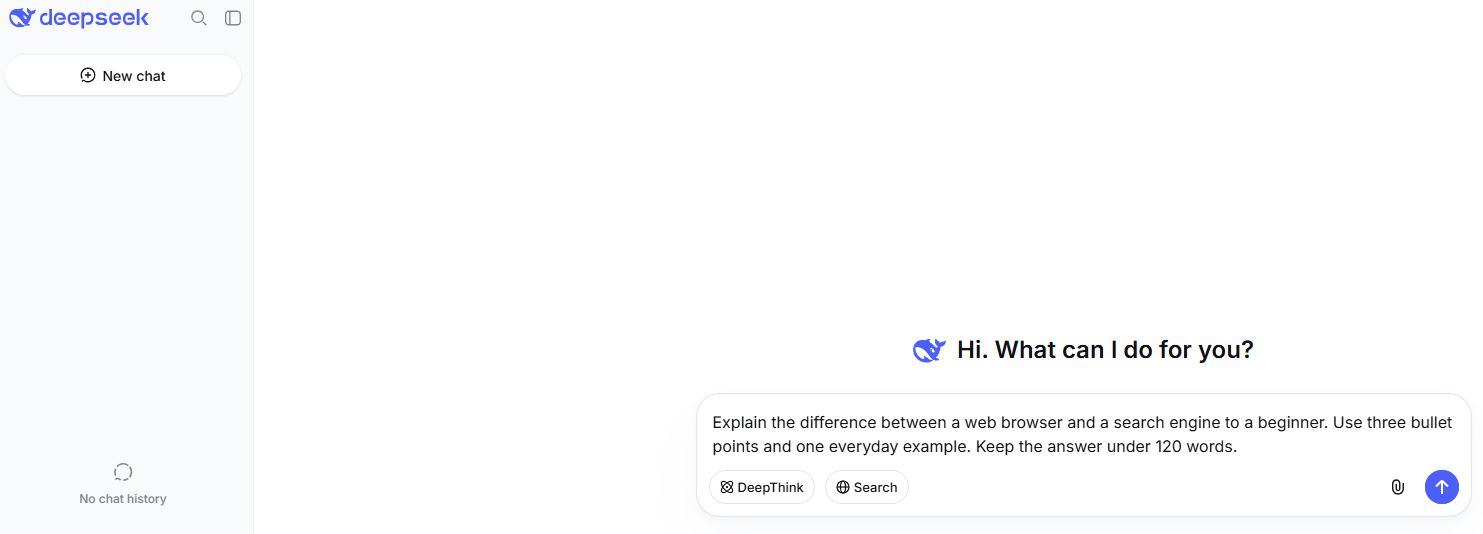
Avoid unofficial websites that imitate DeepSeek. If a page asks for your password, API key, or payment details, confirm that you are on an official DeepSeek property or a provider you intentionally chose.
How to write better DeepSeek prompts
DeepSeek works best when the prompt is specific. A good prompt usually includes the task, context, target audience, output format, constraints, and what the model should avoid.
| Prompt part | What to include | Example |
|---|---|---|
| Task | What you want DeepSeek to do. | “Explain this concept,” “rewrite this paragraph,” “debug this error.” |
| Context | Background the model needs. | Audience, project type, source text, code language, goal. |
| Output format | How the answer should be structured. | Bullets, table, checklist, short answer, JSON, step-by-step plan. |
| Constraints | Limits or rules. | “Keep it under 200 words,” “avoid jargon,” “do not change behavior.” |
| Verification | Ask for uncertainty and assumptions. | “Flag anything uncertain,” “list assumptions before the answer.” |
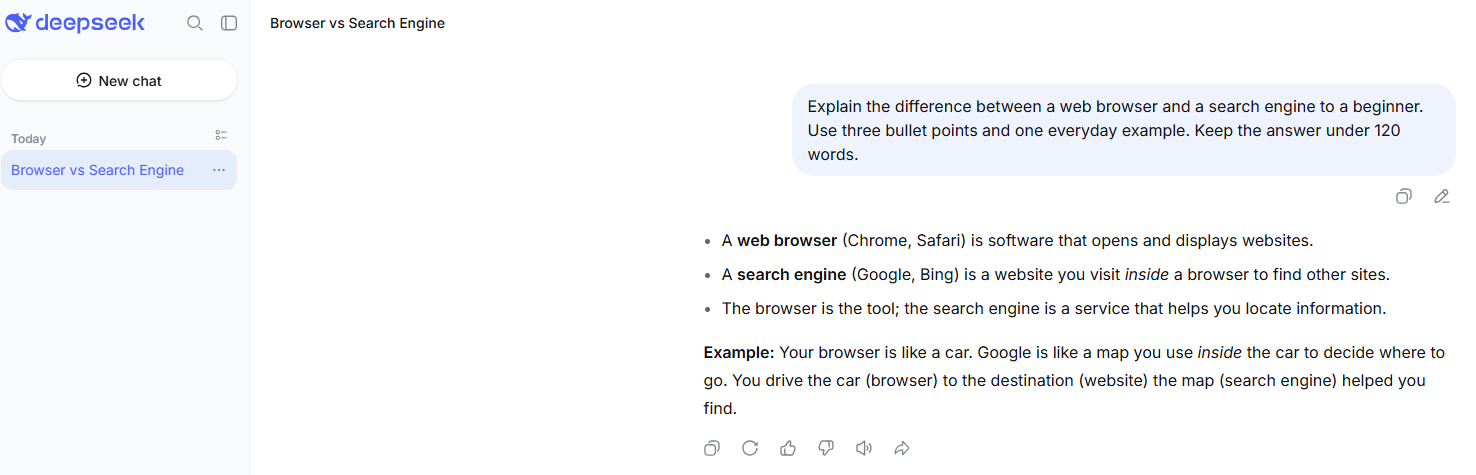
Copy-and-use prompt templates
Explain [topic] in simple English. Start with the short answer, then give one clear example.Rewrite this text for [audience]. Keep the meaning, make it clearer, and list what you changed.Summarize this into five bullets. Keep dates, numbers, and names. Flag anything uncertain.Teach me [topic] step by step. Ask me one question at the end to check understanding.Explain this error, identify likely causes, suggest the smallest safe fix first, and include a test.Compare these options for [goal]. Use a table with pros, cons, effort, risks, and a recommendation.Return the answer as a checklist only. Keep each item short and practical.Prompt templates improve the odds of a useful response, but they do not guarantee accuracy. Always review the answer before using it.
Everyday ways to use DeepSeek
Here are practical use cases and what to provide in each case.
| Use case | What to provide | Good prompt style | What to verify |
|---|---|---|---|
| Ask questions | The topic and your current level. | Ask for a short answer first, then details. | Dates, names, numbers, and factual claims. |
| Learn a topic | Your goal, time available, and prior knowledge. | Ask for steps, examples, and a quiz question. | Technical or academic details against reliable sources. |
| Summarize text | Source text and desired length. | Ask it to preserve names, dates, numbers, and caveats. | Whether key points were omitted or changed. |
| Write or edit | Audience, tone, length, and source draft. | Ask for a rewrite plus a list of changes. | Facts, claims, style, and originality. |
| Brainstorm | Goal, constraints, and examples you like or dislike. | Ask for options grouped by practicality. | Whether suggestions fit your real constraints. |
| Translate or rewrite | Source text, target language, tone, and terms to preserve. | Ask it to flag ambiguous phrases. | Important legal, medical, technical, or business terms. |
| Coding help | Language, framework, error, minimal code, and expected behavior. | Ask for likely causes, smallest fix, and tests. | Run tests and review code manually. |
| Image or screenshot analysis through API | Image input plus a clear question. | Ask it to list visible text, likely issue, and next steps. | Read the official Vision guide and verify important observations. |
| Research assistance | Question, scope, and what sources you trust. | Ask for assumptions and source-checking steps. | Open the sources yourself before relying on the answer. |
How to use DeepSeek for writing
DeepSeek can help with drafting, rewriting, outlining, proofreading, summarizing, and turning rough notes into structured text. It works better when you describe the audience and the purpose of the writing.
- For drafting: provide the topic, audience, tone, length, and key points.
- For rewriting: paste the text and say whether you want it clearer, shorter, more formal, or more conversational.
- For editing: ask for grammar, clarity, structure, and factual-risk notes separately.
- For summaries: tell DeepSeek what to keep: numbers, names, dates, quotes, decisions, or action items.
- For content planning: ask for a structure, not just a title list.
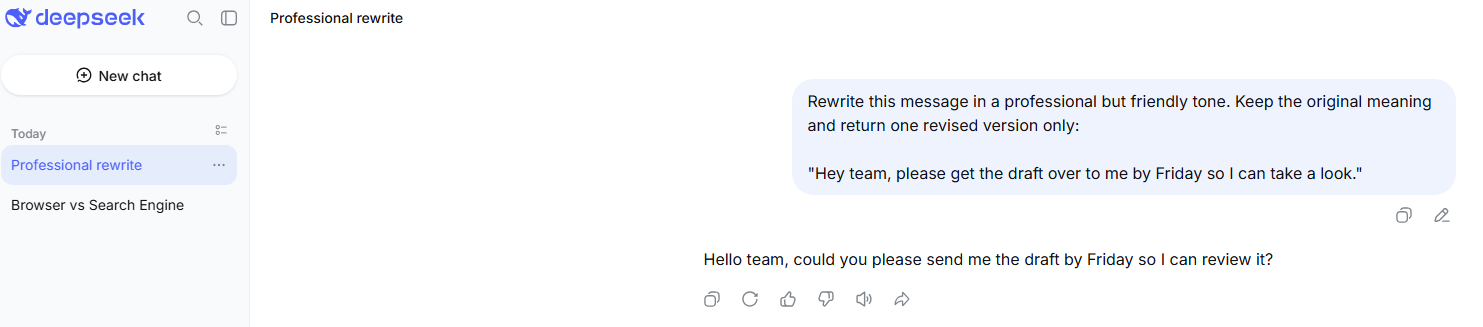
Do not paste confidential drafts, client documents, contracts, or unpublished business plans unless your workflow is approved. Review the final version yourself before publishing.
How to use DeepSeek for learning
For learning, ask DeepSeek to teach in small steps instead of giving one long answer.
Explain this like I am new to the topic. Give one example, then ask me one practice question and wait for my answer.Compare [concept A] and [concept B] in a table. Then give me a simple memory trick.Create a 7-day study plan for [topic]. Each day should have one concept, one practice task, and one review question.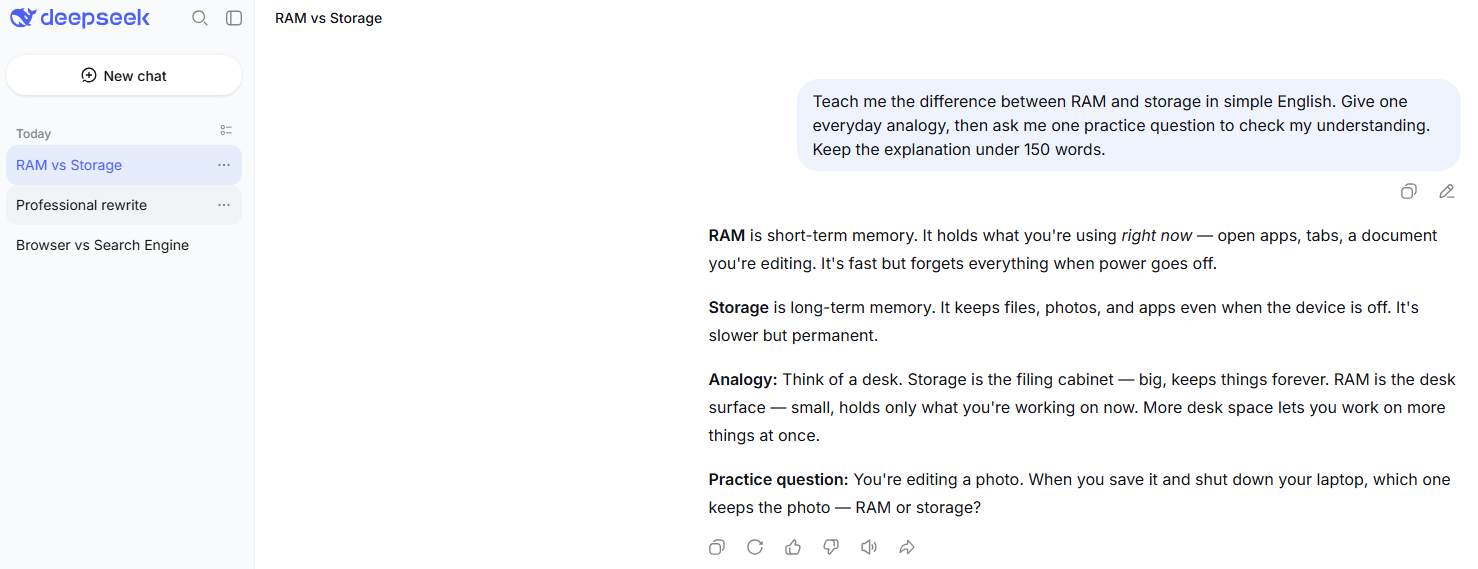
DeepSeek can make learning easier, but it should not replace primary sources, teachers, textbooks, documentation, or qualified experts. Verify important educational, technical, medical, legal, or financial information.
How to use DeepSeek for coding
DeepSeek can help explain code, debug errors, refactor snippets, generate tests, write documentation, and plan implementations. It should be treated as an assistant, not as an automatic production-code generator.
When asking for coding help, provide:
- programming language and framework;
- exact error message;
- minimal relevant code;
- expected behavior vs actual behavior;
- constraints, such as “do not change public API names”;
- testing requirements.
Debug this code. Identify the likely cause, suggest the smallest safe fix first, and include a regression test. Do not rewrite unrelated parts of the file.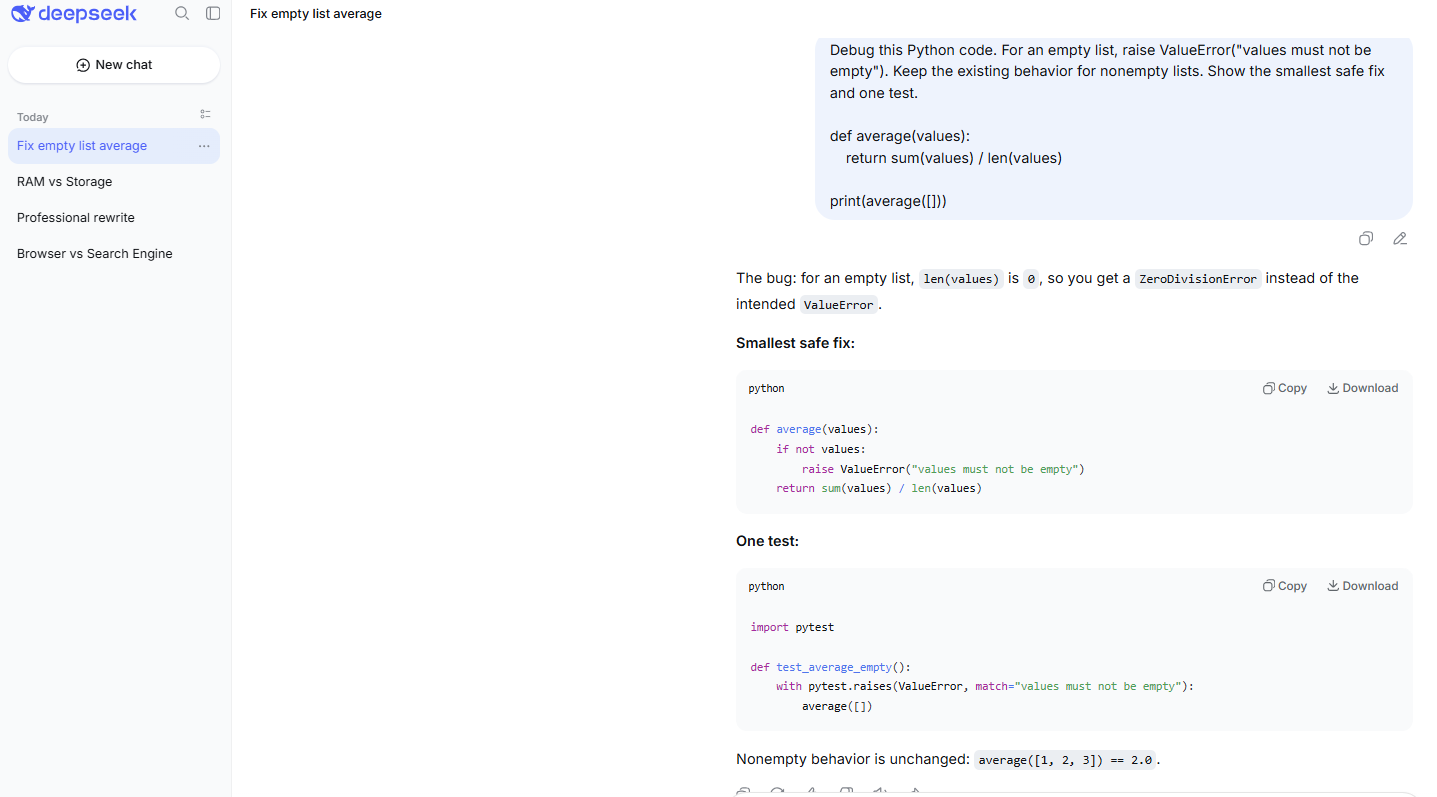
Do not paste API keys, .env files, credentials, private repositories, proprietary code, customer data, or production stack traces containing personal data. Review, test, lint, and security-check generated code before using it.
How to use images and screenshots with DeepSeek
For developers using the API, DeepSeek’s current Vision documentation says deepseek-flash accepts images alongside text. You can use it to describe images, read text from screenshots, analyze charts, and inspect visible UI states. The Vision guide currently lists JPEG, PNG, GIF, and WebP as supported image formats.
Use image input when the visual information matters, such as a chart, UI bug, screenshot error, layout issue, or photographed object. For debugging code, text logs and source code are usually more useful than screenshots when available.
Important distinction: Vision means image understanding. It does not mean image generation. Also, the current model table lists Vision support for deepseek-flash, not deepseek-v4-pro. Check the official Vision guide before building an image workflow.
How to use files and documents with DeepSeek
Where the current DeepSeek interface or API supports file or image input, use it only for non-sensitive files and check the official limits for that surface. Do not assume that every file feature exists in every route: web chat, mobile app, API, Harness, and third-party tools may behave differently.
For document-style tasks, start with public or non-sensitive material. Ask DeepSeek to summarize, extract action items, compare sections, or turn notes into a structured outline. For confidential files, contracts, IDs, customer records, health records, legal files, financial documents, or private business data, use only approved workflows.
When to use DeepSeek Harness
DeepSeek Harness is different from ordinary chat. DeepSeek describes it as a public-preview, open-source desktop harness with composable plugins. Its official page presents it for everyday work, coding, research, background tasks, and plugin-based workflows.
Use Harness when your task is closer to a desktop agent workflow than a simple question. Examples include organizing files, analyzing data, drafting documents, exploring repositories, fixing bugs, building features, running tests, or using plugins.
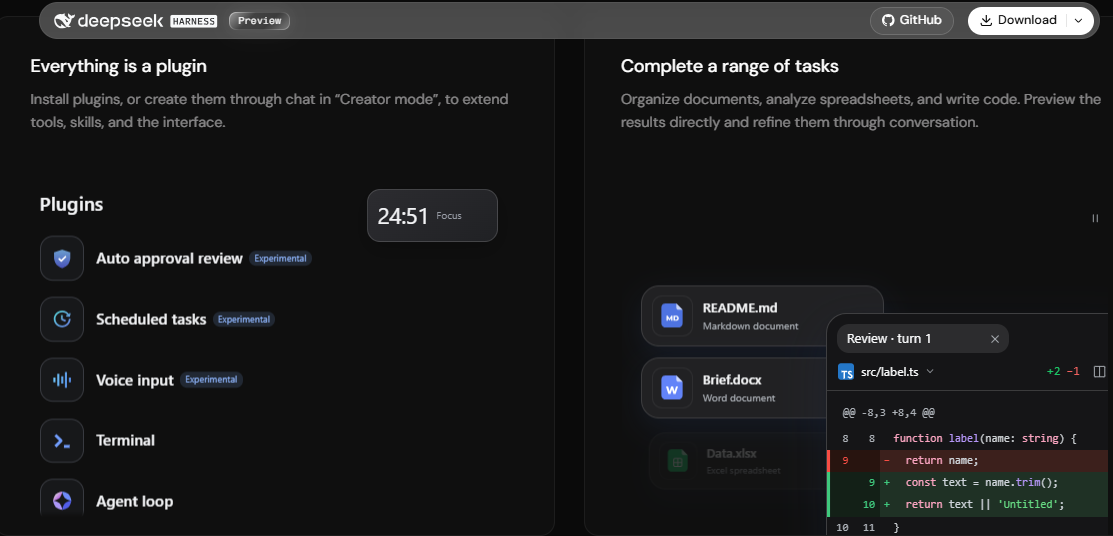
Because Harness can work with files and tools, use version control, inspect diffs, review tool actions, and avoid giving it sensitive files unless your workflow is approved.
When to use the DeepSeek API
The DeepSeek API is for developers building apps, agents, automations, backend services, structured-output workflows, or integrations with tools. It requires an API key from the official platform and is billed separately from consumer chat.
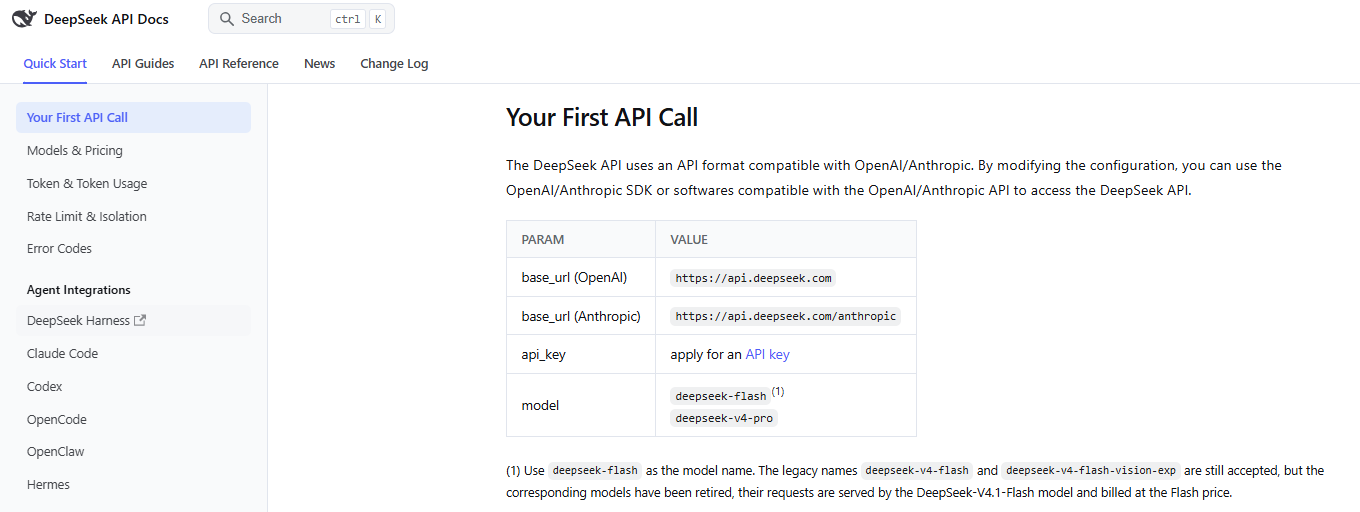
The current API model table lists:
| Model ID | Current model version | Useful for | Key note |
|---|---|---|---|
deepseek-flash | DeepSeek-V4.1-Flash-1017 | General API use, cost-sensitive workflows, agent tasks, and image input. | Supports Vision in the current official table. |
deepseek-v4-pro | DeepSeek-V4-Pro-0813 | Higher-end text, reasoning, coding, and agent workflows when the cost is justified. | Vision is currently listed as not supported. |
The official API table also lists support for Thinking Mode, JSON Output, Tool Calls, Responses API, and Anthropic API for both current hosted API models. Use the official documentation before building because model IDs, prices, limits, and features can change.
Do not expose DeepSeek API keys in browser JavaScript, public repositories, screenshots, WordPress custom HTML blocks, or mobile app binaries. Route public app calls through a server you control.
When local or open-weight DeepSeek makes sense
DeepSeek publishes official model resources on GitHub and Hugging Face. Local or open-weight use can be useful for research, self-hosting experiments, privacy-sensitive infrastructure, and model evaluation.
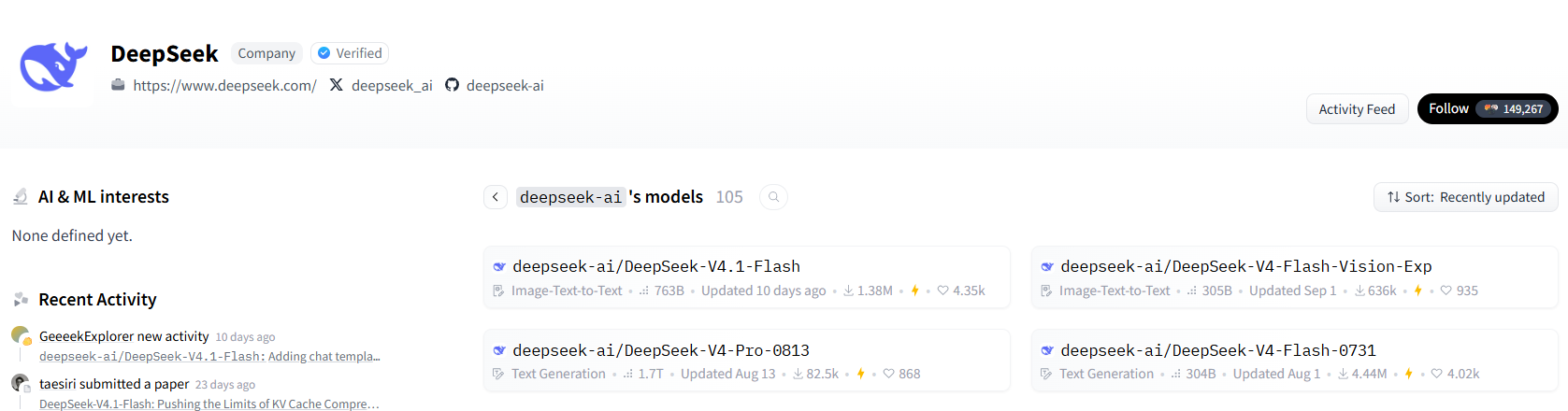
Local use is different from official chat or the hosted API. It can give you more infrastructure control, but it also requires model selection, hardware or cloud capacity, inference serving, logging, access control, security review, license review, and ongoing maintenance. Smaller distilled or quantized models may be more practical than full large models.
Do not assume local deployment is automatically private, free, easy, or identical to the hosted DeepSeek API.
Privacy, safety, and what not to share
DeepSeek’s Privacy Policy says it may collect user input such as text input, voice input, prompts, uploaded files, photos, feedback, chat history, and other content provided to the model and services. It also says the personal data it collects is directly collected, processed, and stored in the People’s Republic of China.
The policy also says DeepSeek’s services are not designed or intended to process sensitive personal data. Treat that as a practical rule for everyday use.
Do not share the following with DeepSeek chat, app, API, Harness, local wrappers, or third-party tools unless the workflow is approved and secured:
- passwords, API keys, private keys, tokens, or credentials;
- customer data or employee data;
- confidential workplace files;
- proprietary code or private repositories;
- medical, legal, financial, or identity documents;
- children’s data or regulated data;
- confidential contracts, business plans, or internal strategy;
- personal addresses, phone numbers, or private contact details unless necessary and approved.
How to verify DeepSeek answers
DeepSeek can sound confident even when an answer needs checking. Use it as a helpful assistant, not as a final authority.
- Ask for assumptions and uncertainty.
- Ask for sources, then open and verify those sources yourself.
- Check dates, names, numbers, and version-specific claims.
- Test code before using it.
- Use human review for work affecting people, money, health, law, employment, housing, insurance, education, or safety.
- Do not rely on DeepSeek alone for medical, legal, financial, or other professional advice.
Common mistakes to avoid
| Mistake | Why it matters | Better approach |
|---|---|---|
| Using unofficial apps or mirrors | They may expose your data, install malware, or route prompts through another provider. | Use the official DeepSeek website or download page. |
| Treating chat, app, Harness, API, and local models as the same | Each route has different features, limits, data handling, and setup. | Choose the route based on the task. |
| Pasting confidential data | Hosted services and third-party tools can process or log user inputs. | Redact or use an approved workflow. |
| Asking vague prompts | Weak prompts often produce generic answers. | Include goal, context, format, and constraints. |
| Trusting output without verification | AI output can be wrong or incomplete. | Check important facts and test code. |
| Using screenshots instead of logs for code errors | Screenshots can hide details and are harder to inspect. | Provide text logs and minimal code when possible. |
Using deepseek-v4-pro for image input | The current model table lists Vision for deepseek-flash, not Pro. | Use deepseek-flash for image understanding through the API. |
| Following old model-name tutorials | DeepSeek model IDs and aliases change over time. | Check the current Models & Pricing page. |
| Confusing chat access with API billing | Consumer chat and developer API are separate routes. | Use the API Platform and pricing docs for developer usage. |
| Assuming local models are automatically private | Local apps can still log data, use plugins, or call remote services. | Check network behavior, logs, storage, and provider settings. |
Troubleshooting: what to check when DeepSeek does not work as expected
| Problem | What to check first | Safe next step |
|---|---|---|
| DeepSeek does not load | Official service status, browser, network, and extensions. | Try another browser or network; avoid repeated refreshes during incidents. |
| Login does not work | Official route, status page, email/code delivery, and original login method. | Wait before requesting repeated codes; do not share verification codes. |
| App does not work | Whether it was installed from the official route and whether an update is available. | Restart, update, switch network, or reinstall only after simpler checks. |
| Answer is in the wrong language | Conversation context, source text, and prompt language. | Start a clean chat and say “Reply in English only.” |
| Answer quality is weak | Prompt specificity and missing context. | Add constraints, examples, desired format, and ask for assumptions. |
| Image input fails through API | Model ID, image format, request shape, and official Vision limits. | Use deepseek-flash and follow the Vision guide. |
| API returns authentication errors | API key, Authorization Bearer header, base URL, and environment variable. | Fix the key or configuration; do not paste keys into third-party checkers. |
| API balance problem | DeepSeek Platform balance and account used by the key. | Check billing/top-up status in the official platform. |
| API returns 429 | Concurrency, request pace, retries, and active requests. | Use queueing, pacing, and bounded backoff. |
Official DeepSeek links
- Official DeepSeek website
- Official DeepSeek Web Chat
- Official DeepSeek app download page
- DeepSeek Harness
- DeepSeek API Platform
- DeepSeek API Docs
- DeepSeek Models & Pricing
- DeepSeek Status
- DeepSeek GitHub
- DeepSeek Hugging Face
- DeepSeek Privacy Policy
- DeepSeek Terms of Use
FAQ
How do I use DeepSeek?
Open the official DeepSeek website or chat, follow the current sign-in flow if prompted, and enter a clear prompt with your task, context, desired output format, and constraints. For mobile use, use the official download page. For developers, use the API docs and platform.
Is there an official DeepSeek chat?
Yes. The official web chat route is chat.deepseek.com, linked from the official DeepSeek website.
Does DeepSeek have an app?
Yes. DeepSeek links to official app download routes from its download page. Use official routes instead of unofficial mirrors.
How do I write a good DeepSeek prompt?
State the task, provide context, specify the output format, add constraints, and ask DeepSeek to flag uncertainty. For example: “Summarize this into five bullets. Keep dates, names, and numbers. Flag anything uncertain.”
Can DeepSeek help with writing?
Yes. It can draft, rewrite, outline, proofread, summarize, and organize notes. Always verify facts and avoid pasting confidential drafts without approval.
Can DeepSeek help with coding?
Yes. It can explain code, debug errors, refactor snippets, generate tests, review code, and document code. Generated code should be reviewed, tested, linted, and security-checked before use.
Can DeepSeek analyze images or screenshots?
Through the API, the current Vision guide says deepseek-flash accepts images with text. Use it for image understanding, screenshots, charts, and visible text. This is not image generation, and Pro is currently not listed as Vision-capable.
What is DeepSeek Harness?
DeepSeek Harness is a separate desktop-oriented agent product in public preview. It is designed for tasks such as documents, data, coding, research, background work, plugins, and tool workflows. It is not the same as ordinary chat.
When should I use the DeepSeek API?
Use the API when you are building an app, backend integration, automation, coding agent, structured-output workflow, or image-processing workflow. The API requires a DeepSeek API key and is billed separately from consumer chat.
Can I run DeepSeek locally?
Yes, some DeepSeek models and variants can be used through open-weight resources, but local deployment is advanced. It requires model selection, hardware or cloud capacity, serving tools, security, logging, and license review.
Is DeepSeek safe to use?
It depends on the use case. DeepSeek may be reasonable for low-risk, non-sensitive tasks, but you should avoid entering confidential, regulated, personal, or proprietary data unless your workflow is approved and you understand the policy and data route.
What should I not share with DeepSeek?
Do not share passwords, API keys, credentials, private code, customer data, regulated records, confidential workplace files, identity documents, health records, legal files, financial records, or sensitive personal data unless you are authorized and the workflow is approved.